Kube Edge Deployment
I’ve been tinkering with Raspberry Pis since college, and over time the question stopped being “what should I build?” and started being “how do I manage all of this?”
The Problem: Deploying to a Fleet of Pis Link to heading
The usual options for running software on a Raspberry Pi are:
- Installing Docker to run your program as a container
- Creating a systemd entry to manage logs and restart on boot
- Scheduling execution via crontab
- Using Ansible to push script updates
These are all fine for personal projects, but they don’t scale well when you need to roll out changes across a fleet of devices. I’ve used Balena Cloud for managing IoT devices, it works great, but it means maintaining yet another tool outside my existing stack.
The Solution: KubeEdge Link to heading
I came across KubeEdge as a way to stay inside the Kubernetes ecosystem while still getting proper edge device management. It lets you join a Raspberry Pi as a node in your existing Kubernetes cluster.
This works through two components: Cloud Core runs on the cluster side and Edge Core runs on the Raspberry Pi. Together they handle the sync between the control plane and the edge node.
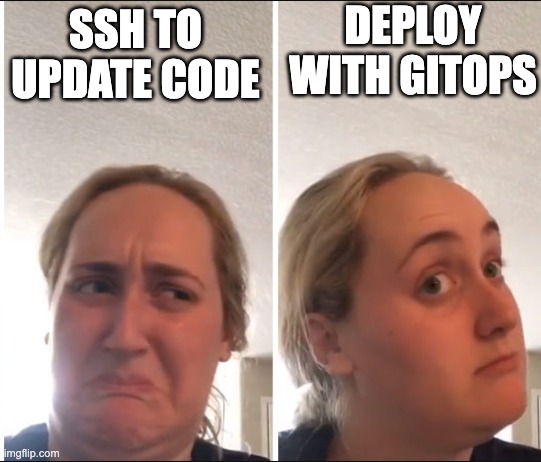
Once the Pi is a Kubernetes node, you can deploy workloads using standard Kubernetes primitives like Deployment, DaemonSet, CronJob and drive everything through Flux for GitOps.
My Cluster Link to heading
Here’s the current state of my homelab cluster. pi-zero-2 is the edge node; the three talos-* nodes are my main Kubernetes nodes running Talos Linux.
✗ kubectl get nodes
NAME            STATUS   ROLES           AGE     VERSION
pi-zero-2       Ready    agent,edge      5d18h   v1.28.6-kubeedge-v1.17.0
talos-4hg-lnx   Ready    <none>          29d     v1.35.4
talos-858-ghf   Ready    control-plane   29d     v1.35.4
talos-t2l-tbc   Ready    <none>          29d     v1.35.4
Demo: Edge Chime Link to heading
The workload running on pi-zero-2 is a Go application called edge-chime. It subscribes to an MQTT topic and flickers the Pi’s onboard LED differently depending on the message received.
✗ kubectl get pods --all-namespaces -o wide --field-selector spec.nodeName=pi-zero-2
NAMESPACE        NAME                              READY   STATUS    RESTARTS   AGE   IP            NODE        NOMINATED NODE   READINESS GATES
edge-chime-ssh   edge-chime-ssh-56569d689b-tjrxp   1/1     Running   0          10s   10.244.3.37   pi-zero-2   <none>           <none>
The application writes directly to /sys/class/leds/ACT/brightness to control the LED, connects to an MQTT broker (configured via environment variables), and flickers at different speeds and counts based on the incoming message payload.
package main

import (
	"fmt"
	"os"
	"strings"
	"time"

	mqtt "github.com/eclipse/paho.mqtt.golang"
)

const (
	ledPath = "/sys/class/leds/ACT/brightness"
)

var (
	mqttBroker = os.Getenv("MQTT_BROKER")
	mqttTopic  = os.Getenv("MQTT_TOPIC")
)

func setLED(on bool) {
	val := "0"
	if on {
		val = "1"
	}
	os.WriteFile(ledPath, []byte(val), 0644)
}

func flicker(flickerTimeMiliSeconds int, flickTimes int) {
	flickertimeRaw := flickerTimeMiliSeconds // 2
	flickerTime := time.Duration(flickertimeRaw)

	for i := 0; i < flickTimes; i++ {
		setLED(true)
		time.Sleep(flickerTime * time.Millisecond)
		setLED(false)
		time.Sleep(flickerTime * time.Millisecond)
	}
}

func main() {
	opts := mqtt.NewClientOptions().
		AddBroker(mqttBroker).
		SetClientID("edge-chime").
		SetAutoReconnect(true)

	opts.OnConnect = func(c mqtt.Client) {
		fmt.Println("[edge-chime] connected to MQTT broker")
		c.Subscribe(mqttTopic, 0, func(_ mqtt.Client, msg mqtt.Message) {
			message := strings.TrimSpace(string(msg.Payload()))
			switch message {
			case "hi":
				flicker(50, 10)
			case "ayo":
				flicker(50, 10)
			case "helloooooo":
				flicker(50, 100)
			default:
				flicker(100, 2)
			}
		})
	}

	client := mqtt.NewClient(opts)
	for {
		if token := client.Connect(); token.Wait() && token.Error() != nil {
			fmt.Printf("[edge-chime] MQTT connect failed: %v, retrying in 5s\n", token.Error())
			time.Sleep(5 * time.Second)
			continue
		}
		break
	}

	select {}
}
Deploying via Flux Link to heading
To ship a new version, I build an arm64 Docker image and push it to my registry. Flux’s image update automation picks up the new tag and applies the change to the Pi — no SSH, no manual steps.
This brings cloud-native deployment patterns to edge devices. The same GitOps workflow I use for my main cluster nodes works identically for the Pi.
What This Unlocks Link to heading
Using KubeEdge lets me treat edge nodes as first-class citizens in the cluster. I can use node taints and pod tolerations to ensure workloads run on the right node, and scale up by simply joining more Pis.
It’s particularly well-suited for low-power workloads like:
- REST and gRPC APIs
- Cronjobs for small task processing
- IoT listeners and actuators